That’s understandable. I cannot do CGA games, 320 x 200 on a 32" 1440p monitor is not appealing, if there was a mod for X2 ML upscale, I would be much more likely to try it.
I mostly do video and image upscale hobby stuff. I ran the CGA screenshots in Topaz Gigalpixel using their graphics/charts preset (first time I’ve used this preset, I work with photo) without any configuration.
There is a decent number of models / settings / approaches with video and to a lesser extent image upscaling to allow you to get a “very close to source” look with modest changes that make the doubling of resolution look good.
This is just a baseline visual comparison to show that it doesn’t have to be overly processed results with unnecessary changes and clearly out of place additions. A frame of reference if you will.
That’s why I mentioned a mod for X2 ML upscale, something that is packaged and tested to focus on authentic results using setting that help avoid some of the issues we see in the third screenshot. Less “AI” and more “authentic upscale”.
That being said, I have no clue how game upscaling works and I have never heard of DOS game upscaling. I am assuming to make it work you would hook into directX (or the Linux + wine equivalent) and then upscale the “stream” tied to DOSbox. I can’t imagine it’s possible to dynamically change upscale settings by modifying the DOS package.
No idea tbh, I have a massive collection of dos games currently locked on a drive with a broken SATA connector and I’ve been too lazy to fix it for months. So obviously I don’t really play dos games very often 😅
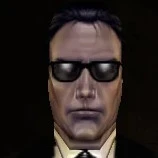

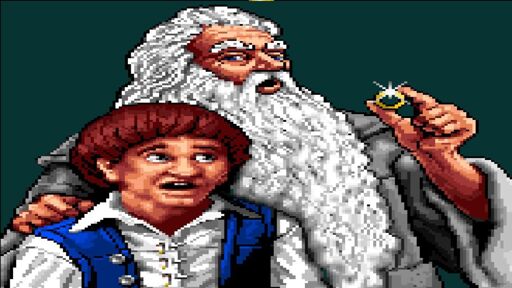
That’s understandable. I cannot do CGA games, 320 x 200 on a 32" 1440p monitor is not appealing, if there was a mod for X2 ML upscale, I would be much more likely to try it.
I mostly do video and image upscale hobby stuff. I ran the CGA screenshots in Topaz Gigalpixel using their graphics/charts preset (first time I’ve used this preset, I work with photo) without any configuration.
There is a decent number of models / settings / approaches with video and to a lesser extent image upscaling to allow you to get a “very close to source” look with modest changes that make the doubling of resolution look good.
This is just a baseline visual comparison to show that it doesn’t have to be overly processed results with unnecessary changes and clearly out of place additions. A frame of reference if you will.
That’s why I mentioned a mod for X2 ML upscale, something that is packaged and tested to focus on authentic results using setting that help avoid some of the issues we see in the third screenshot. Less “AI” and more “authentic upscale”.
That being said, I have no clue how game upscaling works and I have never heard of DOS game upscaling. I am assuming to make it work you would hook into directX (or the Linux + wine equivalent) and then upscale the “stream” tied to DOSbox. I can’t imagine it’s possible to dynamically change upscale settings by modifying the DOS package.
DOSBox has a native scaling function! I’ve linked below an article on how to use it effectively 💪😎
https://www.dedoimedo.com/games/reviving/dosbox-hd-screens.html
Very interesting, this could be helpful for several of my favourite DOS games.
Do you know if you can hook up more advanced upscaling systems? Some brief reseach suggests, but it looks like of experimentation will needed.
No idea tbh, I have a massive collection of dos games currently locked on a drive with a broken SATA connector and I’ve been too lazy to fix it for months. So obviously I don’t really play dos games very often 😅